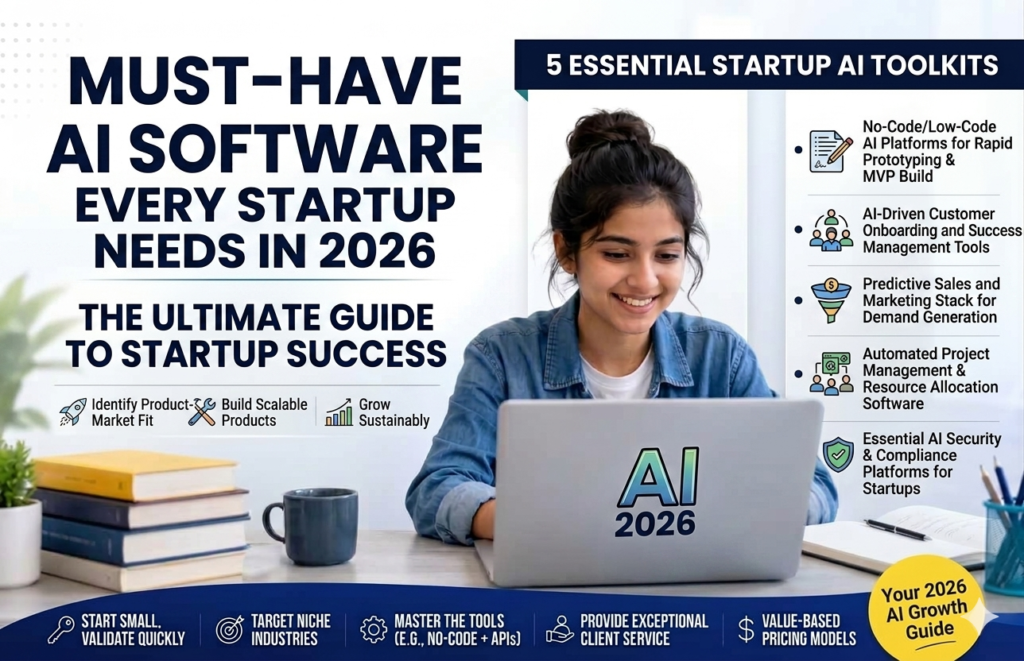
A founder I know summed up her first year better than any framework I’ve read: “My team is me, my cofounder, and about six AI tools pretending to be a twelve-person company.” That’s not an exaggeration anymore — it’s basically the default shape of an early-stage startup in 2026. The hard part was never convincing founders that AI is useful. It’s figuring out which tools actually belong in the stack versus which ones are just another subscription competing for the same job.
So instead of another giant, undifferentiated list of logos, here’s the guide organized the way a founder actually thinks about it: by the job that needs doing. Build the product, sell it, market it, run the back office, and raise the money to keep going.
The Core Brain: One (or Two) General AI Assistants
Before anything specialized, almost every startup stack starts here. ChatGPT and Claude both function as a flexible extra team member — drafting emails, thinking through strategy, debugging a snippet of code, analyzing a spreadsheet, writing the first draft of nearly anything. A lot of founders keep both: ChatGPT as the default daily driver, and Claude as the one they reach for on longer, more careful reasoning work — contracts, specs, anything that benefits from working through a long document in one sitting.
Cost: Free tiers exist for both; paid plans run around $20/month. Skip if: never — this is the one category almost every founder agrees you shouldn’t skip.
Building the Product: AI Coding Tools
If your startup ships software, the biggest AI-driven shift of the last two years has happened here. Cursor, an AI-native code editor built on top of familiar tooling, has become the default for startup engineering teams — it understands your full codebase, can make coordinated changes across multiple files, and routes different tasks to different underlying models automatically. For non-technical founders who need to get a working prototype in front of users without hiring a developer first, no-code AI builders like Lovable or Bubble let you go from a plain-English description to a functioning app.
Cost: Cursor’s free tier is limited; paid plans start around $20/month with usage included, scaling up for heavier use. No-code builders typically start around $50-60/month billed annually. Skip if: you’re pre-product and still validating the idea — don’t build before you know what to build.
Research and Market Intelligence
Perplexity has become the go-to for founders who need sourced, current answers rather than a chatbot’s best guess — competitive research, market sizing, “who else is building this,” with citations you can actually check. It’s a meaningfully different tool than a general assistant precisely because it’s built around real-time web data rather than a fixed training set.
Cost: Free tier available; paid plans typically run $20/month. Skip if: your research needs are occasional rather than ongoing — a general assistant with web search can often cover light, infrequent needs.
Design and Brand
Canva’s AI features remain the practical default for startups without a dedicated designer — auto-generating social content, resizing across platforms, and producing decent first-draft visuals without hiring out every small design task. It won’t replace a designer for anything that needs real polish (a logo, a full brand system), but for the constant stream of small visual assets a startup needs, it closes the gap.
Cost: Generous free tier; paid plans typically run $10-15/month. Skip if: you already have design capacity in-house or via a contractor for anything brand-critical.
Docs, Knowledge, and Internal Organization
Notion AI has quietly become one of the more load-bearing tools in a lean startup’s stack — a single place for docs, specs, meeting notes, and project tracking, with AI now layered in for summarizing, drafting, and increasingly automating recurring workflows like turning a standup transcript into action items. If your team already lives in Notion, the AI layer adds real value without asking anyone to change habits.
Cost: Free tier for individuals; team plans with full AI features typically run $15-20/seat/month. Skip if: your team is small enough that a shared doc and a Slack channel still genuinely cover it — don’t add process before you need it.
Meetings and Communication
Fireflies.ai (or similar tools like Otter.ai) transcribes and summarizes calls automatically, pulling out action items so nobody’s scrambling to remember what a customer or investor actually said. For customer-facing communication, Front combines a shared inbox with AI-suggested replies and message prioritization — useful the moment more than one person is handling support or sales email and things start falling through the cracks.
Cost: Both typically start in the $15-20/user/month range on paid tiers, with usable free tiers to start. Skip if: you’re not yet doing enough calls or shared-inbox volume to justify it — this is a “add when it hurts” category, not a day-one must-have.
Sales and CRM
Once you have real customers or leads to track, a CRM with AI baked in beats a spreadsheet fast. HubSpot and Pipedrive both offer AI-assisted deal tracking, email drafting, and pipeline insights aimed specifically at lean sales teams. Salesforce Starter Suite is worth a look if you want a single foundational CRM with built-in AI assistance rather than stitching several tools together. For outbound-heavy sales motions, Apollo adds AI-assisted prospecting and outreach on top of a contact database.
Cost: Entry-level CRM plans generally run $15-30/user/month; prospecting tools like Apollo add a separate monthly cost depending on volume. Skip if: you don’t have a repeatable sales process yet — a CRM enforces structure you don’t need before you know what your sales motion actually looks like.
Marketing and Content
Jasper remains the more specialized option once you’re producing content at real volume across channels and need brand-voice consistency without constant editing — though it’s a genuine premium spend (see our full Jasper review for the details), and most early-stage startups get by with a general assistant plus Canva until content volume actually justifies the upgrade.
Cost: Jasper starts around $59-69/month; most startups can defer this until content output becomes a real bottleneck. Skip if: you’re pre-product-market-fit — marketing polish matters far less than it feels like it should at this stage.
Automating the Busywork
Zapier, Make.com, or Activepieces connect the tools you already use so information moves between them without anyone copying and pasting — a new signup gets logged in your CRM, a support ticket triggers a Slack alert, a form submission updates a spreadsheet. In 2026 most of these let you describe the automation in plain English rather than manually wiring each step, which lowers the setup barrier a lot.
Cost: Usable free tiers exist; paid plans generally start around $20-30/month and scale with usage volume. Skip if: you’ve got fewer than a handful of genuinely repetitive, cross-tool tasks — don’t automate a process you’re still actively redesigning.
Fundraising: Pitch Decks and Investor Prep
This is a category that’s matured a lot recently, and it’s worth knowing the difference between the tools. Gamma is the fastest option for a rough first draft — genuinely useful for early brainstorming or a quick deck to share with advisors, less suited to a formal round where your numbers will be challenged. Beautiful.ai focuses on consistent, polished design across decks via an AI layout engine that reflows automatically as you add content. Pitch and Slidebean go further toward the actual fundraising workflow — Pitch with link-based sharing and view analytics so you can see which investors actually opened your deck and how long they spent on each slide, and Slidebean with startup-specific templates plus bundled financial modeling and an investor CRM.
The honest distinction: a general design tool makes your deck look good. A fundraising-specific tool helps you manage the actual process of getting it in front of the right people and understanding how they’re engaging with it. If you’re raising a real round, that second category is worth the extra cost.
Cost: Gamma and Beautiful.ai typically start free or around $10-20/month; Pitch starts around $8/user/month; Slidebean’s startup-focused tiers run roughly $7-42/month depending on how much fundraising support you want bundled in. Skip if: you’re not actively fundraising — these are tools to bring in when you’re in raise mode, not before.
How to Actually Build Your Stack (Without Wasting Money)
A few things worth internalizing before you start adding subscriptions:
- Stage matters more than hype. A pre-product startup needs a coding tool and a general assistant far more than it needs a CRM or a fundraising deck tool. Match the tool to what you’re actually doing right now, not where you hope to be in a year.
- Start with a general tool, add a specialist only when it hurts. Most founders don’t need ten tools — they need ChatGPT or Claude for almost everything, plus one or two specialists for the specific jobs a general assistant genuinely can’t do well (real-time research, prospect data, visual app generation).
- A lean stack really can run under $100/month to start. Free tiers across the core categories cover a surprising amount of early-stage need. Add a paid plan only where you’re actually hitting the limits of the free tier.
- Budget for roughly four to six tools once you’re past the earliest stage, not fifteen. The median small business already runs about five AI tools — past that, you’re usually paying for overlap rather than new capability.
The founders getting real value out of this stack aren’t the ones with the most logos in their tools folder. They’re the ones who added each tool because a specific, recurring task was genuinely too slow or too expensive to keep doing by hand — and who were honest enough to cancel the ones that turned out not to be.

Comments