The first time I watched a small business owner try to manage her own Facebook and Google ad accounts, she had four browser tabs open, a half-finished spreadsheet tracking cost-per-click by hand, and the exact look on her face that I imagine people get right before they abandon a New Year’s resolution. She wasn’t bad at marketing. She just didn’t have six extra hours a week to babysit bids, test headlines, and figure out why one ad set was quietly burning through budget while barely converting.
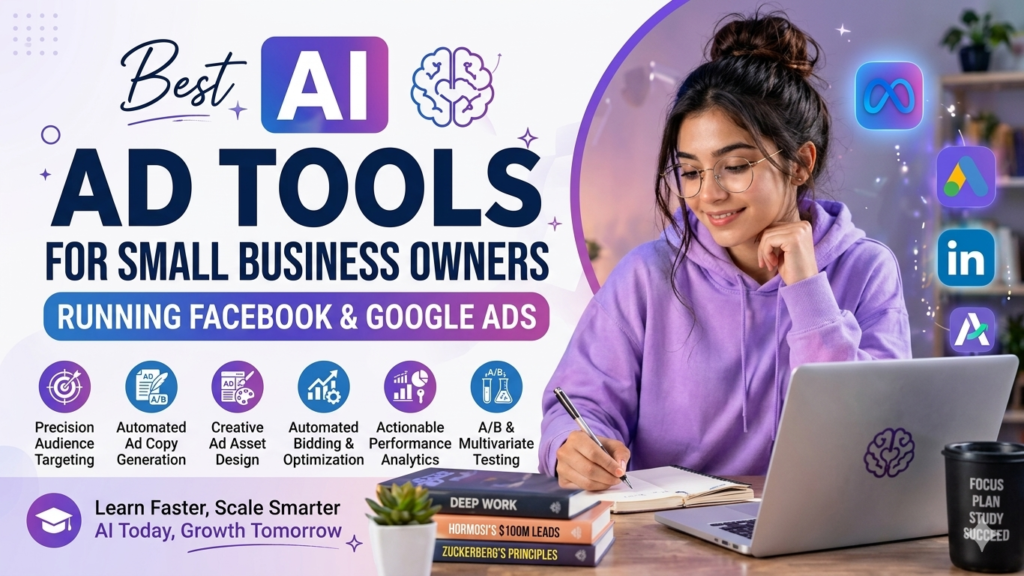
That’s the exact problem AI ad tools were built to solve. Not to replace your judgment about your own business — nobody’s algorithm understands your customers better than you do — but to take the repetitive, data-heavy grunt work off your plate so you can spend your time on strategy instead of spreadsheet babysitting. Below is an honest rundown of the tools actually worth your attention in 2026, organized by what problem they solve, because “best AI ad tool” depends entirely on what’s actually broken in your ad account.
Start With What’s Already Free: Native Platform AI
Before you pay for anything, it’s worth knowing that both Google and Meta have quietly built serious AI automation directly into their free ad managers, and skipping this step is the most common mistake small business owners make.
Google Performance Max uses machine learning to automatically distribute your budget across Search, Display, YouTube, Gmail, and Maps based on where it’s actually converting, adjusting in near real time. Meta Advantage+ does something similar for Facebook and Instagram, automating audience targeting and placement so you’re not manually guessing which age bracket or interest group to target.
Neither of these costs anything beyond your ad spend, and for a lot of small businesses just starting out, this is genuinely enough automation to see solid results without touching a third-party tool. The tradeoff is that these native tools are a bit of a black box — they optimize within their own walls and don’t give you cross-platform visibility or the deeper diagnostic detail that dedicated third-party tools offer.
For Facebook & Instagram: Tools Built Specifically for Meta Ads
If Meta is where most of your budget goes, a handful of tools focus specifically on getting more out of that platform.
Madgicx has built a reputation as one of the more affordable, small-business-friendly options for Meta advertising. It combines AI-driven audience targeting, creative performance analytics, and automated budget management in a single dashboard, and it’s a solid pick if you want AI assistance without a steep learning curve.
Revealbot takes a different approach: instead of making decisions for you, it lets you build custom automation rules — pause an ad set if cost-per-acquisition crosses a threshold, scale budget when return on ad spend hits a target, that kind of thing. It’s a better fit if you already have a decent instinct for what “good performance” looks like for your business and just want to stop manually checking the dashboard five times a day.
AdEspresso remains a favorite for small businesses that want simplified campaign creation and A/B testing without needing an agency-level learning curve. It’s not the flashiest AI tool on this list, but it’s dependable, and dependable matters more than flashy when you’re running a business, not a marketing agency.
For Google Ads: Tools That Handle the PPC Grind
Google Ads has gotten more complex in the last couple of years — Performance Max, value rules, offline conversion imports — and the tools built around it reflect that.
Opteo is a strong pick if you’re not a PPC expert but want intelligent, easy-to-act-on recommendations. It’s specifically designed for small-to-mid-sized advertisers who are competent with Google Ads but don’t want to become full-time analysts.
Adalysis runs over a hundred automated checks against your account and flags errors, missed opportunities, and optimization gaps you’d likely miss scrolling through the dashboard yourself. It’s particularly useful if you suspect your account has some structural issues you haven’t found yet.
WordStream has evolved from a keyword research tool into a full guided workflow platform, and it’s built with small businesses and marketing generalists in mind rather than dedicated PPC managers. If you want a tool that essentially holds your hand through weekly optimization tasks, this is a good starting point — and its free grader tool is worth running even if you don’t subscribe to anything.
Optmyzr is powerful, but worth a mention with a caveat: it’s built more for agencies and experienced advertisers managing multiple accounts, with pricing that reflects that. If you’re a solo small business owner just trying to keep one account healthy, it’s probably more tool than you need.
Cross-Platform Tools: Manage Both Channels in One Place
If you’re running ads on both Facebook and Google — which most small businesses eventually do — juggling two separate dashboards gets old fast.
Adzooma is the standout free option here. It scans your campaigns across Google, Facebook, and Microsoft Advertising, and surfaces specific, actionable recommendations ranked by potential impact — not generic advice, but concrete suggestions like which negative keywords to add or which ad set to scale. The free tier supports up to two ad accounts, which makes it a genuinely low-risk way to test whether AI optimization is worth paying for before you commit to anything.
A newer entrant worth knowing about is Ryze AI, which positions itself as a fully autonomous manager for both Google and Meta ad accounts, handling bid optimization and budget allocation without manual intervention. It’s gotten a lot of visibility lately, though as with any fast-growing tool, it’s worth doing your own trial before committing serious budget to full autonomy — letting software make unsupervised spending decisions is a bigger leap of faith than using it for recommendations.
For Ad Creative: When Design Is Your Actual Bottleneck
Sometimes the thing holding your ads back isn’t targeting or bidding — it’s that your creative is stale, or you don’t have the design chops to produce enough variations to test properly.
AdCreative.ai focuses specifically on generating ad creative and Performance Max assets using AI, which is useful if you know your targeting is fine but you’re just not producing enough fresh visuals to keep performance from decaying. Ad fatigue is real, and running the same three creatives for two months is a quiet but common reason performance quietly slides.
Canva isn’t an ads platform, but it deserves a mention because so many small businesses use it as their actual creative production tool — pre-sized templates for every ad format, brand kit management, and increasingly capable AI design features that make it easy to produce a batch of on-brand variations without hiring a designer.
How to Actually Pick One (Instead of Signing Up for Everything)
Here’s the honest advice I’d give a friend: don’t start by researching tools. Start by identifying what’s actually broken.
If you’re not sure your targeting is right, a tool like Madgicx or Opteo will tell you more than a creative generator will. If your targeting is fine but your creative is stale, AdCreative.ai or a Canva habit will do more for you than another optimization dashboard. If you genuinely don’t know what’s wrong, start with a free diagnostic tool like Adzooma or WordStream’s grader — they’ll point you toward the actual leak before you spend money guessing.
Budget matters too. If you’re spending under a couple thousand dollars a month on ads, you’re probably better served by a guided, recommendation-based tool than a fully autonomous one — the fixed monthly cost of some premium platforms can eat a meaningful chunk of a small ad budget before you’ve seen any lift. Save the fully autonomous, higher-price tools for once your spend has grown enough that the automation is clearly paying for itself.
A Word on Trust and Verification
One thing worth knowing as you research this space: a lot of “best AI ad tools” roundups online are published by the tool companies themselves, and unsurprisingly, they tend to rank their own product first. That doesn’t mean the tool is bad — some of them are genuinely solid — but it’s worth reading a few different sources, checking independent review sites, and running your own free trial before committing real ad spend to any autonomous tool’s judgment. Your account, your money, your due diligence.
The Bottom Line
None of these tools replace understanding your own customers, and none of them will save a fundamentally weak offer or a confusing website. What they will do is take the repetitive, data-crunching parts of ad management — bid adjustments, creative testing, account audits — off your plate so you can focus on the parts of your business that actually need a human. Start with what’s free, figure out where your real bottleneck is, and add a paid tool only once you know exactly what problem you’re asking it to solve.

Comments