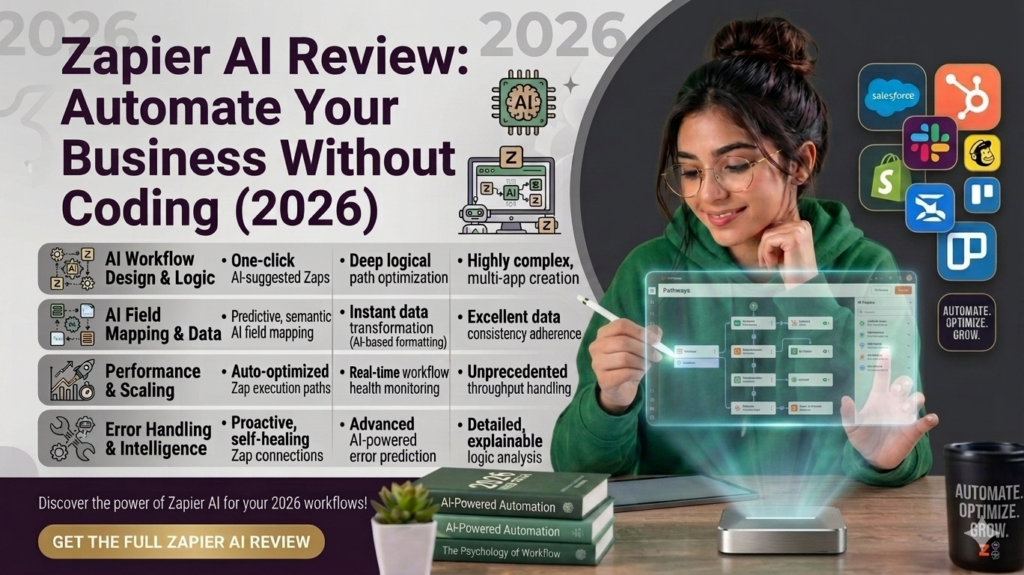
A client of mine spent her first year in business doing something painfully familiar: manually copying every new order from her Shopify store into a spreadsheet, then into her email list, then into a shipping tool. Three apps, one repetitive task, zero automation. When she finally set up Zapier, she told me it felt like hiring a very literal-minded assistant who never gets bored. That’s basically what Zapier still is at its core — except now it’s wrapped in a lot more AI than it used to be, and the pricing has gotten more complicated to match.
If you’re wondering whether Zapier’s 2026 version is worth bringing into your business, here’s the real picture — what it does well, where the AI additions actually help, and where the bill can sneak up on you.
What Zapier Actually Is (Still)
At its heart, Zapier is still the same idea it launched with back in 2011: you pick a trigger in one app (“new order in Shopify”), you pick an action in another (“add row to Google Sheet,” “send Slack message,” “create shipping label”), and Zapier connects them without anyone writing code. That core engine hasn’t changed, and it’s still genuinely the easiest way to wire two apps together if you’ve never touched an API in your life.
What’s changed is everything built on top of it. Somewhere around 2025, Zapier started calling itself an “AI Orchestration Platform” rather than just an automation tool, and it backed that up with real product additions:
- Copilot – a natural-language assistant that builds Zaps for you when you describe what you want in plain English.
- AI Steps – drop an AI action into the middle of any workflow to summarize, classify, translate, or generate content.
- Zapier Agents – autonomous AI “teammates” that can read email, do research, and take multi-step actions without a fixed, pre-built workflow.
- Zapier Chatbots – customer-facing AI chat flows that can pull answers from your files, pages, or connected data.
- MCP (Model Context Protocol) – lets outside AI tools like Claude or ChatGPT tap into Zapier’s tens of thousands of app actions directly.
It’s a genuine evolution, not just a rebrand slapped on the same product. But it also means the simple “flat monthly fee for automation” story from a few years ago is gone.
Zapier Pricing in 2026 (Read This Before You Sign Up)
This is where I’d tell any small business owner to slow down and actually do the math before committing, because Zapier’s pricing model can surprise people.
Free plan — 100 tasks per month, two-step Zaps only (one trigger, one action), 15-minute update polling. Fine for testing the waters, not for running your business on.
Professional — starts around $29.99/month billed monthly, or roughly $19.99/month billed annually, for 750 tasks a month. This unlocks multi-step Zaps and premium app access, and it’s genuinely where most small businesses start.
Team — around $103.50/month billed monthly (roughly $69/month annually) for 2,000 tasks and up to 25 users, plus shared Zaps, shared app connections, and SSO.
Enterprise — custom pricing for high-volume, mission-critical setups.
Here’s the part that catches people off guard: a “task” is counted per completed action, not per Zap run. If your workflow has eight steps and a new lead triggers all of them, that’s eight tasks for one lead. Multiply that by real volume and the numbers climb fast — there are user reports of invoices jumping into the hundreds of dollars a month for what felt like a modest, everyday automation. One frustrated user described catching themselves removing steps from a workflow purely to save on task counts rather than building what actually made sense for the business. That’s worth sitting with before you build anything complex.
On top of the base plans, Zapier Agents and Zapier Chatbots are separate paid add-ons, roughly $20/month each to start, and AI Steps inside your Zaps are now priced by which AI model tier you use — a “Standard” model costs less per run than “Advanced” or “Premium.” It adds a layer of pricing complexity that’s genuinely not obvious from the marketing page.
The AI Features Worth Actually Knowing About
Copilot
This is the one I’d point most small business owners toward first. Instead of manually clicking through the step-by-step Zap builder, you describe what you want — “when someone fills out my contact form, add them to my mailing list and send me a Slack alert” — and Copilot assembles it for you. It’s available even on the free plan, and it doesn’t eat into your task count. For non-technical users, this alone shaves a lot of the historical learning curve off Zapier.
AI Steps
You can drop a general AI action into any existing Zap to summarize a document, classify an incoming email, extract data from text, or generate a quick reply — without needing your own OpenAI or Claude account. Handy for lightweight AI tasks layered onto a workflow you already have running.
Zapier Agents
This is the more ambitious piece: agents that don’t follow a fixed step-by-step path but can make decisions and take multiple actions based on a goal you set — researching a new lead and drafting a personalized follow-up, for instance. It’s a genuinely interesting capability, but multiple reviewers describe it as still early-stage — powerful in demos, but not something you’d want handling a fully autonomous, high-stakes decision without a human checking the output.
Zapier Central / Chatbots
These let a non-technical operator build something closer to a working AI assistant that has “hands” across your tech stack — read a spreadsheet, research a contact, message your team — rather than a plain chatbot that only answers questions. Useful for support teams that want AI without adding an entirely separate vendor.
MCP
If you or your team already uses Claude, ChatGPT, or Cursor, Zapier’s MCP layer lets those tools directly trigger actions across the 8,000+ apps Zapier connects to. This is more of a power-user feature, but it’s a smart bridge if your AI tool of choice needs to actually do things, not just talk.
Where Zapier Genuinely Wins
- Unmatched integration library. With 8,000+ connected apps, there’s a very good chance whatever tools you already use — from Shopify to QuickBooks to niche industry software — are supported out of the box.
- Fastest time-to-first-automation. No other platform gets a non-technical person from “I have a repetitive task” to “it’s automated” faster.
- Copilot lowers the barrier further. You genuinely don’t need to understand triggers and actions conceptually before you get value.
- One platform for a lot of adjacent needs. Tables (a lightweight database), Forms, Interfaces, and Chatbots mean you can build a surprisingly complete internal tool without leaving Zapier or hiring a developer.
Where It Can Bite You
- Task-based pricing punishes complexity. The more steps in your workflow, the faster you burn through your monthly allowance — and multi-step workflows are exactly what most real businesses need.
- AI add-ons stack up. Agents, Chatbots, and higher AI model tiers are all separate costs layered on top of your base plan. A team using several of these features at once can realistically be looking at $150–200/month in add-ons alone, on top of the base subscription.
- Seat limits push you into bigger plans fast. Professional caps out at one user — adding a second person means jumping straight to the Team plan, more than tripling the base price.
- No mobile app. Surprising for a platform this mature, but as of 2026 there’s still no dedicated mobile app for managing Zaps on the go.
- Agents are genuinely still maturing. Treat the autonomous-agent features as something to pilot carefully, not something to hand a mission-critical process to on day one.
So, Is It Worth It for Your Business?
If your business runs on off-the-shelf SaaS tools and you need to stop manually moving data between them, Zapier remains the easiest on-ramp into automation that exists — full stop. The Copilot feature genuinely makes that on-ramp shorter than it’s ever been, and for simple, low-volume workflows (a handful of steps, moderate monthly volume) the Professional plan is a fair price for the time it saves.
Where it gets shaky is scale and complexity. If you’re running dozens of multi-step workflows with real volume — say, more than a few thousand tasks a month — the task-based pricing starts to add up meaningfully, and it’s worth at least glancing at alternatives like Make.com, which tends to run noticeably cheaper for equivalent workflow volume, in exchange for a steeper learning curve.
My honest rule of thumb: start with Zapier because it’s the fastest way to prove an automation actually saves you time. Once a workflow is running reliably and its task volume is climbing, that’s the moment to check whether a cheaper tool could handle the same logic — not before, when you don’t even know yet if the automation is worth keeping.
Quick FAQ
Do I need to know how to code to use Zapier? No. That’s still the entire point of the platform. Copilot makes it even less necessary than before.
What counts as a “task” in Zapier’s pricing? Each completed action step in a Zap — not each time the Zap runs. An 8-step Zap triggered once uses 8 tasks. Triggers themselves don’t count.
Are the AI features included in the base price? Copilot and MCP access are included on paid (and even free) plans. Zapier Agents and Chatbots are separate paid add-ons, and AI Steps cost more depending on which AI model tier you select.
What’s the biggest mistake small businesses make with Zapier? Building workflows around what’s cheapest to run rather than what the business actually needs — and not noticing task volume creeping up until the invoice arrives.
Zapier’s pricing structure has changed more than once in the past couple of years — always confirm current numbers on zapier.com/pricing before budgeting around this article.

Comments